


 Faites évoluer votre ancien stockage collaboratif Avid avec un expert technique certifié] A l'occasion de l'arrivée du Printemps, CTM Solutions avec Avid annoncent des promotions uniques sur le stockage collaboratif métier Avid | NEXIS Pro+ et Avid | NEXIS F2 jusqu'au jeudi 15 juin 2023. Pour les clients existants, CTM Solutions offre 2000 € de réduction sur le prix catalogue de NEXIS Pro+ ou 5000 € de réduction sur le prix catalogue de NEXIS F2 pour tout utilisateur final souhaitant upgrader et faire évoluer leurs anciens stockages Avid Isis ou NEXIS existant...
CTM Solutions : Promotions - Avid NEXIS, faites évoluer votre ancien stockage collaboratif Avid


 Faites évoluer votre ancien stockage collaboratif Avid avec un expert technique certifié] A l'occasion de l'arrivée du Printemps, CTM Solutions avec Avid annoncent des promotions uniques sur le stockage collaboratif métier Avid | NEXIS Pro+ et Avid | NEXIS F2 jusqu'au jeudi 15 juin 2023. Pour les clients existants, CTM Solutions offre 2000 € de réduction sur le prix catalogue de NEXIS Pro+ ou 5000 € de réduction sur le prix catalogue de NEXIS F2 pour tout utilisateur final souhaitant upgrader et faire évoluer leurs anciens stockages Avid Isis ou NEXIS existant...
CTM Solutions : Promotions - Avid NEXIS nouveaux équipements
 Pour vos nouveaux projets d'équipements en Post-production, investissez dans un stockage collaboratif Avid à l'aide d'un expert technique certifié. A l'occasion de l'arrivée du Printemps, CTM Solutions avec Avid annoncent des promotions uniques sur le stockage collaboratif métier Avid | NEXIS Pro+ et Avid | NEXIS F2 jusqu'au jeudi 15 juin 2023. Pour les nouveaux clients qui découvrent Avid et qui achètent leurs premières solutions de stockage partagées Avid NEXIS PRO+ ou NEXIS F2 seront récompensés par une offre exceptionnelle de découverte avec une remise de 30% sur le tarif catalogue sous réserve d'éligibilité de votre dossier par Avid.
[Event Post MIFA - Workstations Lenovo & AMD des atouts pour la Post-production]
 Nous vous proposons un événement unique pour permettre à vos infrastructures techniques de prendre de l'avance, le Jeudi 30 Juin de 15h à 17h30 chez CTM Solutions (Parking privatif). Grâce à l'association des stations de travail Lenovo P 620 et de l'intégration des nouveaux processeurs AMD Ryzen Threadripper Pro 5000 Série chagall, il est possible maintenant de travailler en temps réel sur beaucoup d'applications métiers et sur des fichiers vidéo UHD & 4K :
[Invitation - workshop "Audio" Mercredi 11 Mai CTM ] Monitoring
 Parce qu' il n'y a pas de studios sans écoute ! Mercredi 11 mai de 9h30 à 18h chez CTM Solutions. 7 fabricants d'écoutes et de monitoring de studio à votre rencontre : #Genelec ; #JBL Professional ; #ADAMAudio ; #Neumann ; #Dynaudio ; Focal-JMlab ; #DKAudio et en invité le fabricant d'interfaces et de grilles audio #DADNTPTechnology viendra vous présenter ses toutes dernières nouveautés NAB 2022 en exclusivité. Au programme chaque fabricant / importateurs de la marque viendra vous présenter :
[Invitation - workshop "Audio" Jeudi 12 Mai CTM] Post-prod
 Parce qu'il n'y a pas de studios sans stations de montage et mixage ! Jeudi 12 mai de 9h30 à 13h chez CTM Solutions : la présentation avec Avid Audio sera consacrée aux dernières nouveautés Audio du constructeur mais surtout le renouvellement des gammes produites actuelles avec l'abandon en fin d'année des licences perpétuelles #Avid #ProTools. De nouvelles formules ; de nouveaux abonnements ; de nouvelles fonctionnalités...comment passer d'un parc de licences perpétuelles à un parc de licences en souscriptions ? les enjeux ; les avantages et les inconvénients...
CTM nouveau workshop 2022 – Remote & Post-production le 28 Avril
 Nous sommes heureux de vous présenter chez CTM Solutions notre premier Workshop de l'année, autour des dernières offres et innovations technologies de quelques- uns de nos partenaires qui permettent et favorisent le « Remote Post » et plus généralement le télétravail collaboratif en Post-production des équipes créatives. Au programme :
Avid nouvelle version PRO TOOLS | 2020.11 >
 [Avid offre à Pro Tools une mise à jour en version PRO TOOLS | 2020.11] Quelles sont toutes les nouveautés de la version ? Conversion de l'audio en MIDI; possibilité de créer jusqu'à 512 pistes globales; Melodyne 5 Essential de Celemony est désormais fourni avec Pro Tools gratuitement dans l'abonnement et plan support; possibilité d'importer et d'exporter directement les fichiers Dolby Atmos ADM depuis et vers Pro Tools en mode hors ligne;
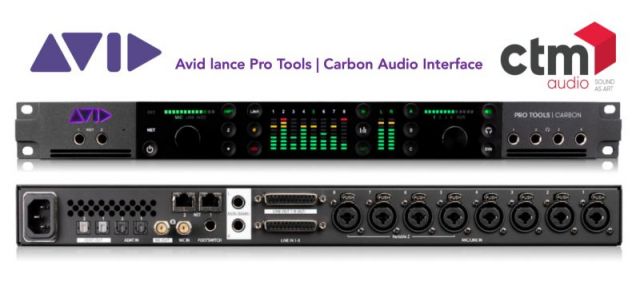
Avid innove et propose une nouvelle interface Pro Tools | Carbon®
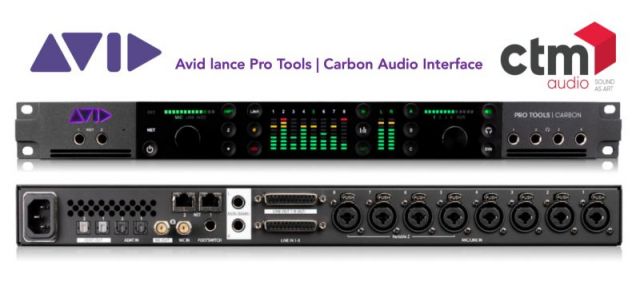 [Audio Studio - Avid propose une nouvelle série d'interface Audio Pro Tools | Carbon®] Dédiée aux artistes, groupes, producteurs et ingénieurs, Pro Tools | Carbon est l'interface audio la plus inspirante jamais conçue par Avid. Ce nouveau système de production audio hybride fonctionne de concert avec Pro Tools et met toute la puissance des plug-ins AAX DSP à votre portée pour enregistrer et monitorer vos performances en temps réel, sans aucune latence audible...
CTM & Avid Workshop Audio Pro Lundi 16 Nov. Remote Post-Prod
 Workshop Audio Pro : CTM Solutions et Avid s'associent pour un événement en ligne - Lundi 16 Novembre : @Remote Post-production en Audio & Nouveautés. Lundi 16 Novembre, CTM Solutions & Avid Audio organisent un évènement en ligne dédié a Pro Tools. Celui ci, proposé sur deux sessions, abordera les thématiques du travail collaboratif à distance et présentera les nouveautés audio d'Avid pour 2020/2021 :
Atlantis Télévision collabore avec Object Matrix
 [Technologie - Médias : État de l'art de la gestion patrimoniale et de l'archivage chez Atlantis Télévision] Atlantis Télévision collabore avec Object Matrix pour proposer aux professionnels de la télévision, de la publicité et du cinéma, une solution de stockage performante et sécurisée...« Avec Object Matrix nous nous inscrivons dans l'air du temps...
AJA Video Systems News rentrée; nouveaux produits
 [Technologie : AJA Video Systems News rentrée; nouveaux produits; nouvelles mises à jour; Tarifs avec CTM Solutions Solutions] Cartes vidéo pour le montage; l'étalonnage; le graphique; les effets; l'ingest; l'archive et le streaming : AJA Io; Kona; Corvid mais aussi de nouveaux Mini-Convertisseurs Fido 12G-SDI et Fibre; nouvel enregistreur Digital 12 G portable Ki Pro Ultra 12 G chez AJA :
Comment stocker, gérer et sécuriser vos médias avec Object Matrix
 [Nouveau webinaire - proposé par CTM Solutions] Mardi 5 Mai de 11 h à 12h. Episode 9 : Comment stocker, gérer et sécuriser vos médias à l'aide d'un Cloud privé ou hybride orienté média ? vollaboration, efficacité opérationnelle et créativité; Accès instantané et intuitif à l'intégralité de votre patrimoine stocké, partout dans le monde...
Nouveau webinaire Comment gérer et partager vos médias dans le Cloud
 [Nouveau webinaire - proposé par CTM Solutions] Jeudi 30 Avril de 11 h à 12 h. Episode 8 : Comment gérer et partager vos médias en toute sécurité où qu'ils soient stockés ? Stockage, gestion et partage de vos médias directement dans le cloud; Travail à distance et collaboration en temps réel; iconik.io, interface intuitive, intelligente et sécurisée, s'intègre à d'autres systèmes de stockage cloud :
Comment monter et Post-produire à distance avec Adobe et LuciLink ?
 [Nouveau webinaire - proposé par CTM Solutions] Jeudi 23 Avril de 11 h à 12 h. Episode 6 : Comment monter à distance ou Post-produire directement dans le Cloud dès maintenant avec Adobe ? Partagez vos projets dans le Cloud Adobe avec Creative Cloud Team Projects; créer et monter en proxy en utilisant Adobe Media Encoder pour monter avec Adobe Premiere Pro synchronisé avec Creative Cloud...:
Comment transcoder dans le Cloud avec root6 ContentAgent®
 [Nouveau webinaire - proposé par CTM Solutions] Mardi 21 Avril de 11 h à 12h. Episode 5 : Comment piloter l'ingest, transcoder et archiver vos médias directement dans le Cloud pour faciliter la collaboration entre équipes ? : Gestion et orchestration de workflows sur-mesure permettant l'acquisition de contenus, le transcodage des fichiers et l'intégration directe sur les outils utilisés par la post-production.
Nouveau Webinar : Comment archiver dans le Cloud avec XenData
 [Nouveau webinaire - proposé par CTM Solutions Jeudi 16 Avril de 11 h à 12h : Episode 4 " Comment faciliter la collaboration à distance, l'archivage et le partage des Projets Médias entre les équipes dans le Cloud ? "] Archiver, manager, héberger, restaurer vos médias directement dans le Cloud. Utilisez la solution de synchronisation multi-sites et d'archivage automatique proposée par XenData & Wasabi Hot Cloud Storage.
 Comment gérez vos projets de montage avec Marquis Broadcast
 [Nouveau webinaire - proposé par CTM Solutions Mardi 14 Avril de 11 h à 12h : Episode 3 " Comment gérez, sauvegardez et partager facilement les projets de montage Avid & Adobe à distance pour collaborer avec vos équipes et vos différents sites avec Marquis Broadcast "] Utilisez les nouveaux outils collaboratifs de Post-production que nous vous proposons avec "Project Parking" pour Avid Media Composer & "PostFlux"pour Adobe Premiere Pro de Marquis Broadcast dans le "Hot Cloud" Storage de Wasabi.
2eme Webinar Comment monter Post-produire dans le Cloud avec Avid
 [2eme Webinar - proposé par CTM Solutions Jeudi 9 Avril de 11 h à 11h 40 : " Comment monter à distance ou Post-produire directement dans le Cloud dès maintenant avec Avid "] Comment monter avec Avid Media Composer à distance via Remote Deskstop; Comment installer une infrastructure permettant le travail avec des sites distants Media Composer; Comment monter une production directement dans le Cloud avec la nouvelle solution Avid | Edit On Demand :
[Produire et Post-produire dans le Cloud l'état de l'art]
 [Produire et Post-produire dans le Cloud l'état de l'art - 10 Webinars avec CTM Solutions pour comprendre et échanger] Le contexte actuel nous oblige à produire différemment, et à repenser nos habitudes de travail; CTM Solutions vous invite à voir et participer à une nouvelle série de webinar sous la forme de 10 épisodes proposés sur le mois d'Avril en Français :
 Avid NEXIS PRO stockage collaboratif 40 à 160 TB en Promotion
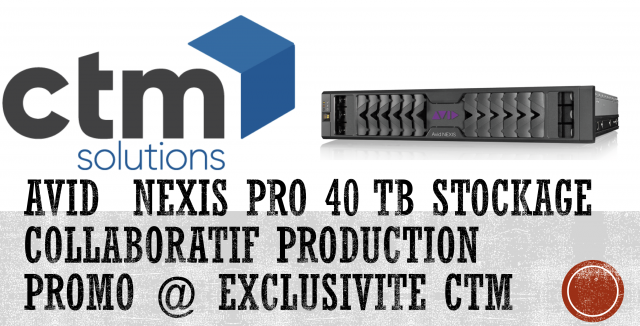 [Post-Production Technologie - Avid NEXIS PRO le stockage collaboratif de vos productions compatible Avid Media Composer; Adobe CC; Davinci Resolve ; Apple FCP X de 40 à 160 TB] Accédez aux performances et à la fiabilité d'Avid NEXIS® avec un système de stockage partagé plus économique conçu pour les équipes de production audio et vidéo Avid NEXIS | PRO offre une collaboration en temps réel qui permet d'accélérer votre workflow de média :
CTM nouveau Mac Pro 2019 en location pour vos Post-production
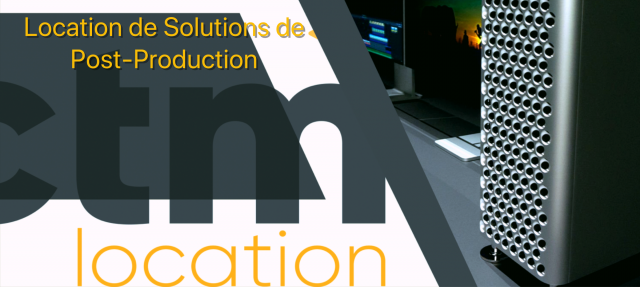 [Post-production - CTM Location le spécialiste des solutions de Post-production, vous propose à la location les nouveaux Mac Pro : Etalonnage; VFX; Gaming...] Avec une expérience de plus de 40 ans dans la Post-Production, CTM possède un parc important dédié à la location avec plus d'une centaine de systèmes de montage, mixage, étalonnage, VFX et Stockage centralisé dédié à la Post-production. Parmi les nouveautés de la rentrée 2020, CTM Location est heureux de vous annoncer la disponibilité des nouveaux mac pro 2019 :
CNC étude sur l'emploi dans les effets visuels numériques
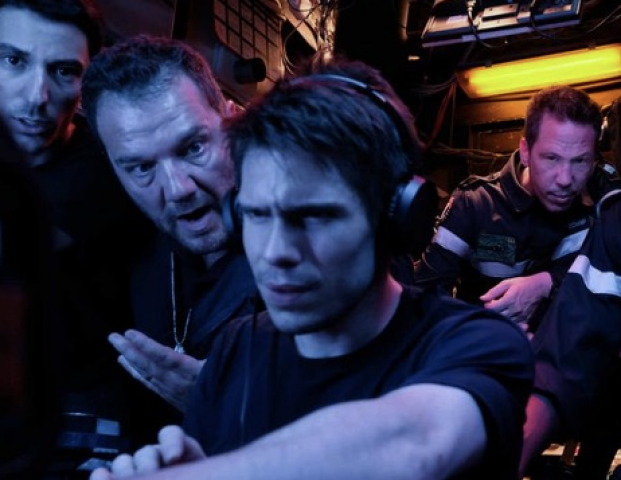 [Effets spéciaux : CNC publie avec Audiens pour la 4 eme année son étude sur "L'emploi dans les effets visuels numériques"] Avec près de 3 500 emplois dans le secteur des effets visuels en 2018, c'est le deuxième plus haut niveau en dix ans. Sur cette période, ce sont 600 emplois qui ont été créés. Ces résultats confirment la maturité acquise par ce secteur :
Métier : Qu'est-ce que le compositing VFX ?
 Le compositing VFX consiste à créer un plan en mélangeant effets spéciaux et images tournées sur fond vert ou en live action. Avec pour objectif de réaliser le plan qui s'intégrera parfaitement dans le montage du film. Retour sur ce métier de composition d'images. C'est un poste clé de la post-production d'un film. L'opérateur compositing VFX, qui peut être un graphiste ou un infographiste spécialisé, doit créer une harmonie à l'image entre ce qui a été produit en effets spéciaux et ce qui a vraiment été tourné :
Object Matrix : Solutions de stockages objet intégrées par CTM
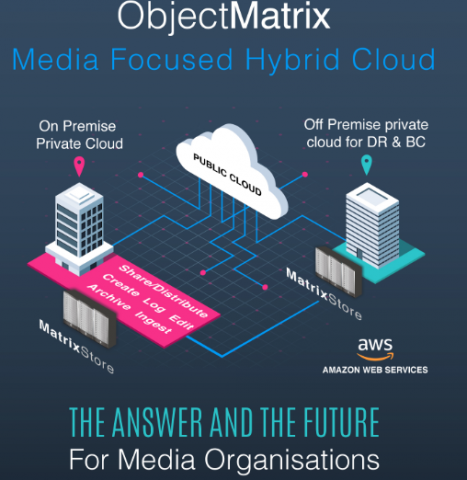 [Stockage Objet & Media - Object Matrix : Solutions de stockages objet orientées média sélectionnées et intégrées par les équipes de CTM Solutions avec succès depuis plus de 8 ans maintenant] De nouvelles palettes de solutions de stockage MatrixStore arrive dans la plateforme d'intégration de CTM SoLutions pour préparer les nouvelles installations et intégrations de nos chers clients. Bastien Didier à la manœuvre...
 Exclusivité CTM les nouveautés Avid Audio du NAMM 2020
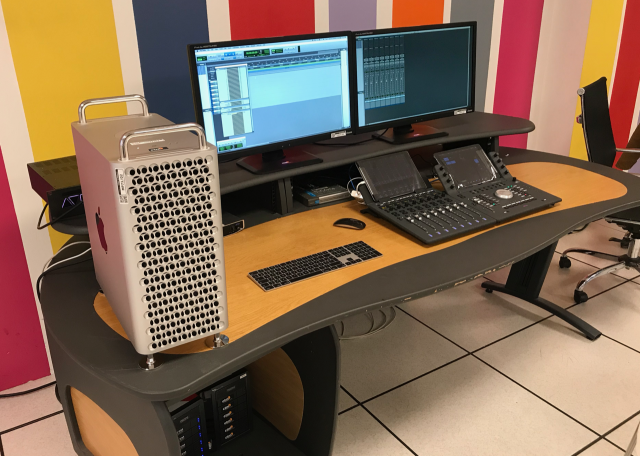 [Workshop CTM Solutions & Avid : les nouveautés Avid Audio du NAMM 2020 en exclusivité pour les utilisateurs Pro Tools] Avid Pro-Tools 2020 : Folder Tracks; Basic Folder Tracks; Routing Folder Tracks...Nouveau châssis Avid d'extension thunderbolt 3 (collaboration exclusive avec Sonnet); nouvelle interface Avid Pro Tools | MTRX STUDIO; nouvelle surface Avid S1; nouveau Mac Pro...A découvrir :
Nouveau Mac Pro au format rack disponible chez CTM Solutions
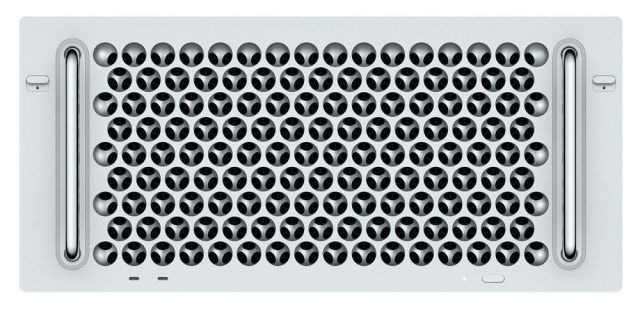 [Post-Production & Techno : le nouveau Mac Pro au format rack est enfin disponible à partir de 5 999 € HT] Apple a lancé son nouveau Mac Pro mi-décembre, mais seule la version « tour » (avec ou sans roulettes) était disponible jusqu'à présent. La mouture rack 5U est désormais disponible à partir de 5 999 € HT contre 5 415 € HT pour la version Tour :
Avid Pro Tools HDX : NAMM 2020 Nouveaux Bundles
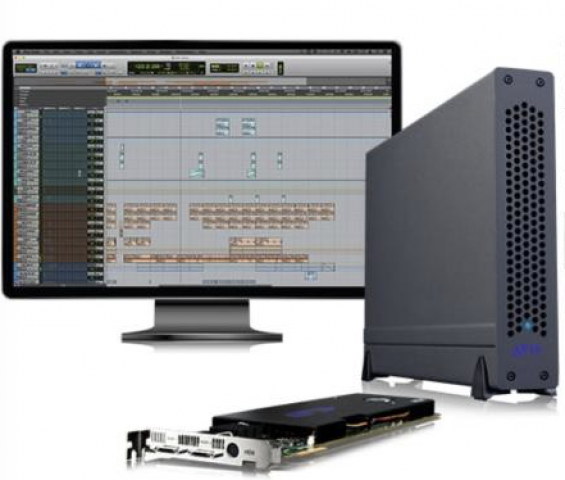 [Avid Pro Tools HDX : NAMM 2020 Nouveaux Bundles; nouvelle interface Audio MTRX Studio; Nouveau châssis Avid] Bientôt disponibles chez CTM Audio en vente et en location. Les nouveaux Bundles Avid Pro Tools | HDX Thunderbolt 3 comprenent : une carte HDX, un châssis Thunderbolt 3 (bureau ou rack), Pro Tools | logiciel ultimate, une interface audio Avid adaptée :
Avid présente sa nouvelle interface Audio Pro Tools | MTRX Studio
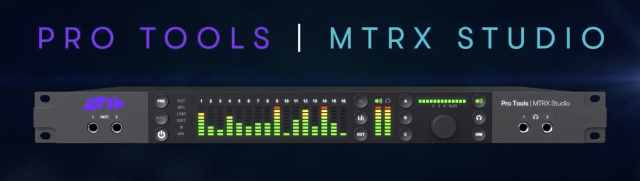 [Audio Technologie : NAMM Show 2020 - Avid présente sa nouvelle interface Audio - Avid Pro Tools | MTRX Studio] Fruit d'un travail collaboratif fructueux entre Avid & DAD pour répondre à la demande du marché en exopansion. Présenté aussi chez CTM mardi prochain à notre prochain workshop - 14h30 "Workshop Nouveau Mac Pro - Nouvelle Surface Avid S1 et maintenant Nouvelle interface Avid Pro Tools | MTRX Studio " :
 Vrai succès pour les JPO "Post-Prod" au Maroc avec CTM & AVID
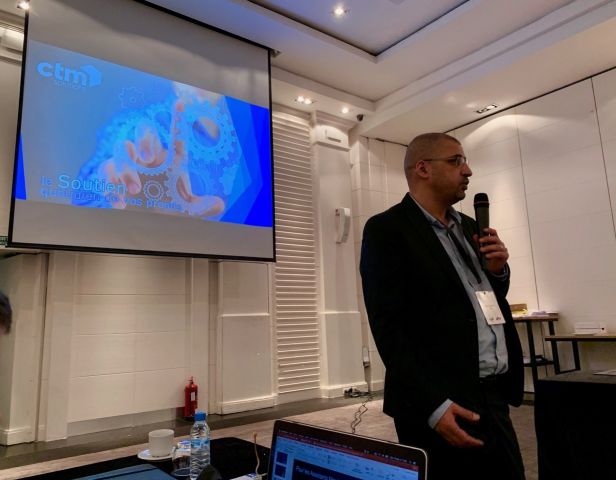 [Evénement Maroc : Beau succès suite à nos derniers événements organisés au Maroc à Casablanca et Rabat conjointement avec les équipes d'Avid les 10 et 11 Décembre 2019] Ces rencontres autour de la Post-Production ont permis de mieux se familiariser avec les nouveaux produits Avid et les nouveaux workflow de post-productions proposés par la marque :
Toute l'actualité 2019 de l'ONDIF : Studio son installé par CTM Solutions
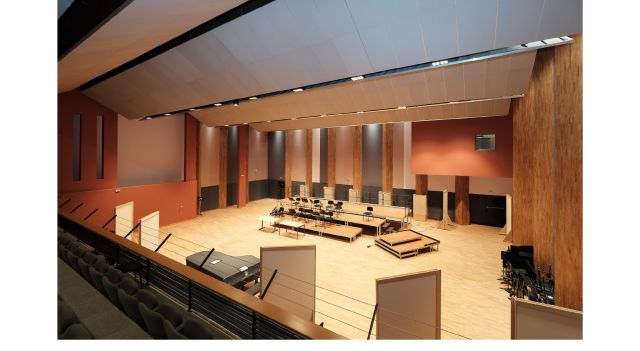 [Studio & Musique de film - Toute l'actualité 2019 de l'ONDIF : quand l'orchestre national d'ile de France se met à la musique de film avec son nouveau studio installé par CTM Solutions] Une activité débordante en 2019 et une grande réussite pour ce nouveau lieu inauguré fin 2018 : enregistrements avec l'orchestre pour des productions extérieures :
 Plus d'articles...
- OPTV étend son usage de MatrixStore au-delà de 5 pétaoctets
- Nouveau Mac Pro & Avid S1 présentation CTM 21 Janvier
- Les défis de la Post-Production sur 2020 vu par CTM Solutions
- Commandez votre nouveau Mac Pro chez CTM Solutions
- Event Innovation et post-prod au Maroc - Dec. 2019 avec Avid & CTM
- Webinar Archiware P5 & Wasabi Hot Cloud Storage
- Avid S1 : nouvelle contrôleur de mixage 8 faders
- CTM Solutions & R&S vous invite au 1er User Group "Clipster" le 23 Mai
- CTM Audio : Radial annonce DAN-RX2 et DAN-TX2
- CTM Audio : nouveau les interfaces Red sous RedNet Control 2.3
- CTM Audio : nouveau caisson grave chez Genelec 7382 SAM
- IBM Aspera accompagne la bascule vers le cloud - Toutes les nouveautés et solutions - NAB 2019
- CTM Audio vous invite avec Avid à participer à son 2ème «Avid Pro Tools S3/S6 User Group»
- Nouvelle installation CTM Audio : Studio 10 chez Dubbing Brothers
- CTM LOCATION fête ses 10 ans le jeudi 31 janvier
- SATIS 2018 : CTM Solutions propose plusieurs conférences métiers
- CTM le 1er atelier Post IBC organisé à l'INA a rencontré un vif succès
- Rohde & Schwarz à IBC 2018 - Quoi de neuf avec CTM Solutions ?
- Invitation CTM à son 1er Post-IBC : le 27 Sept. dans les locaux de l'INA
- Samsung nouveau SSD portable NVMe et Thunderbolt 3
- IBC 21018 - c'est la rentrée : horaire, plan, programme, nouveautés :
- Avid "Augmentation de certains tarifs" au 1er septembre
- eGPU : GPU Blackmagic pour travailler sur MacBook Pro
- Clé ILok virtuelle pour Avid Pro Tools - nos conseils et astuces
- Les Modules SFP Optiques - trucs et astuces de l'été
- Avid "Promotions Estivales" avec CTM Solutions
- Sonnet présente ses nouveautés au NAB 2018
- Panasonic présente ses nouveautés au dernier NAB 2018
- Le Forum des images s'équipe d'un Avid Nexis Pro avec CTM Solutions
- Object Matrix a reçu une récompense du "Storage Magazine"
- AJA nouveaux convertisseurs vidéo en pré-commande
- Evénement Post-NAB 2018 organisé à Paris le 6 Juin par CTM Solutions
- Up-gradez votre console Avid Icon vers la surface Avid | S6 série M40
- Avid interface vidéo Artist | DNxIV en promo jusqu'au 15 Juin 2018
- Promotions Adobe Creative Cloud Mai 2018 avec CTM Solutions
- HP série Z nouvelle génération de stations de travail
- Stockage collaboratif pour vos Pro-Tools : Avid Nexis PRO en Promotion
- Avid offre spéciale : up-grader votre Avid Isis vers Avid Nexis
- R&S Clipster® joue un rôle clé dans les essais UHDTV chez SKY Perfect
- L’étalonnage de « Kingsman » réalisé avec DaVinci Resolve
Page 1 sur 36